MagicInfo in the cloud from$13.49/mo

Samsung MagicINFO in the cloud — your screens online in minutes

From $13.49 per display per month, in US dollars. No server to run, no card for the free trial.
Want to try? 30-day free trial, up to 5 screens, all Premium features — the clock starts when your first screen connects.

How the free trial works

1

Register and confirm your e-mail address.

2

Add up to 5 screens in the console by serial number or MAC, then type the server address on each screen. New screens are approved automatically.

3

Your 30 days start when your first screen connects. Then choose a plan, or let the trial end.

No credit card needed. You pay only if you decide to keep going after the 30 days.

About a service

MagicInfo Cloud Services

We are a team of digital signage specialists with more than a decade of experience delivering reliable, large-scale display solutions across Europe and North America. Our goal is to make Samsung MagicINFO simple, secure, and always available. Combining technical excellence with the reliability and precision associated with Swiss engineering.

The service is built on Samsung's industry-leading MagicINFO platform, hosted on cloud infrastructure, and protected by multi-layer security.

Security in layers, on top of MagicINFO. MiCloud runs Samsung MagicINFO, one of the systems for which Samsung received ISO/IEC 27001 and 27701 certification from BSI. On top of it we add our own protection: a firewall in front of every server, encrypted TLS on port 443 as standard, a database not open to the public internet, automatic blocking of password-guessing and attack traffic, security fixes applied to the MagicINFO server itself, and 24/7 automated monitoring.

miCloud delivers the performance, security, and reliability needed for modern digital signage networks of any size.

Key Advantages

  • 24/7 automated monitoring
  • Screens connect over encrypted TLS on port 443 as standard
  • Fully managed MagicINFO server environments
  • Help moving from your existing MagicInfo server: content, playlists and schedules
  • Integration support, automation, and API-ready solutions

MiCloud or your own MagicINFO server?

  • Server licence Nothing to buy: the server is part of the plan.
  • Updates and security patches We apply updates and security fixes.
  • TLS certificate HTTPS is included and renewed for you.
  • Time to first screen Minutes: register, then type the server address on the screen.
See pricing

Samsung is winding down MagicINFO on-premises

According to Samsung's notice, the on-premises MagicINFO server stops being sold on 31 December 2026, and MagicINFO Cloud ends service on 28 February 2027. MiCloud keeps your screens running on the MagicINFO platform we operate.

Pricing plans

Choose Your Plan

Flexible plans for every business size. Start free, upgrade anytime.

Lite

Basic Content

$13.49

per device /month

Choose Lite Basic content only
  • Basic Content
  • Simple Scheduling
  • Media Uploads
Try for free
MOST POPULAR

Premium

Full Features

$29.99

per device /month

Choose Premium Everything you need
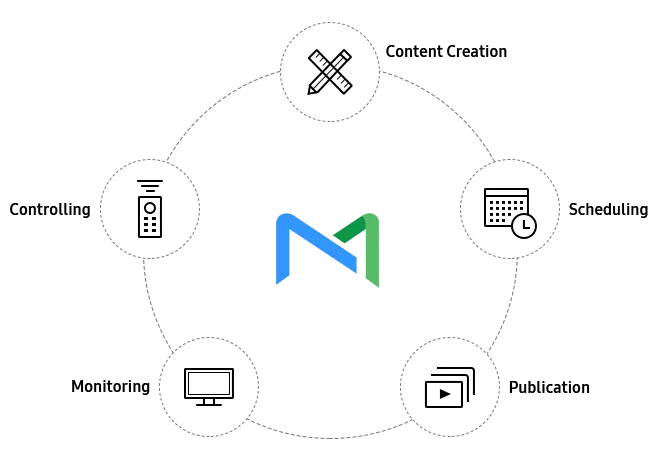
  • Content Creation
  • Smart Playlists
  • Advanced Scheduling
  • Detailed Analytics
  • Advanced RM
Try for free

RM

Remote Management

$4.95

per device /month

Choose RM Monitoring and control only
  • Live View
  • Remote Control
  • Group Management
  • Health Alerts
  • Samsung Native
Try for free
Got any questions?

Please do not to hesitate to contact us to find out all the possibilities of MagicInfo and the excellent support you get from our helpdesk.

Help and support

How to get a free trial?

Register for free and get a 30-day trial with full Premium features - no credit card required.

What are the pricing plans?

We offer Lite (basic content) and Premium (full features) signage plans starting at $13.49/month, and RM (remote management only) at $4.95/month.

How to obtain free MagicInfo license?

Sign up and start your free 30-day trial to explore all features before subscribing.

How to obtain MagicInfo license?

Create a project in your dashboard and purchase the plan that fits your needs via PayPal or credit card.

How to connect display to MagicInfo server?

On the screen, open Menu > Network > Server Network Settings > Connect to Server. Type 7007.me, set TLS to "Use" (older models: SSL) and Port to 443, then Save. Step by step: How to connect a display.

What payment methods are accepted?

We accept PayPal and credit cards (Visa, MasterCard, Amex) via PayPal, SEPA bank transfer, and international wire transfer.

How to request an invoice?

You will receive an invoice by email as soon as you order a service plan.

How to create a project/license?

Go to Dashboard > Licenses > Purchase New License, name your project, select a plan, and complete payment.

How to add devices to my license?

1) On the screen, open Menu > Support > Contact Samsung to see the serial number and MAC address. 2) In the console, open your license > Displays > Add display and enter the serial number or MAC. 3) On the screen, open Menu > Network > Server Network Settings > Connect to Server, type 7007.me, set TLS to "Use" (older models: SSL) and Port to 443, then Save. New screens are approved automatically, usually within a minute or two. A screen that was registered to another account before is checked by our support first.

How to extend/renew my license?

Click "Extend" on your license in the Dashboard to add months or upgrade your plan at any time.

Scroll